
Pixx.
image-sharing, reimagined.
Dive into the world of boundless creativity with Pixx — a platform for discovering, sharing, and celebrating images from creators around the globe.
Pixx is where imagination meets technology. Join a vibrant community of digital artists and redefine the art of tomorrow, today.

Sign Up
- Create an account by entering a unique username that will be displayed when you share images with others.
- Ensure that your email is valid, as it will be used for verification, and your password must be at least 6 characters long.
- After signing up, an email verification link will be sent to your email address. Click on the link to activate your account.

Login
- Complete the login form with your verified email and password. The system uses JWT-based authentication through a custom Express server.
- Your login token is stored securely using async storage, allowing you to stay logged in even after closing the app.
- If you have forgotten your password, click on the "Forgot Password" link and follow the steps to reset it.
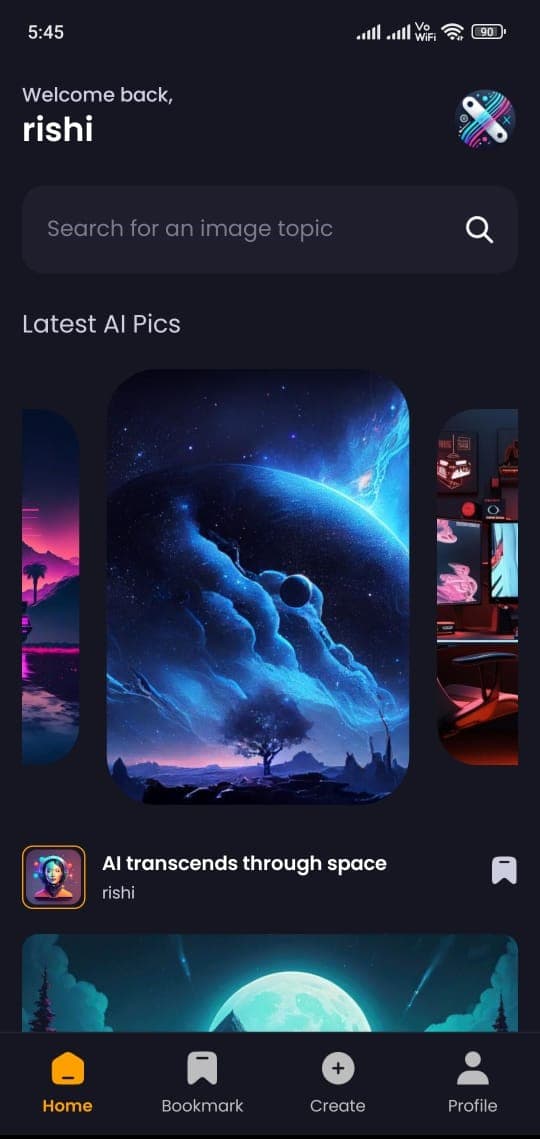
Home
- Access the latest images posted by users on the platform, displayed in chronological order.
- Browse through different image sections, organized by various topics and categories.
- Use the search bar to find images related to specific topics or keywords of interest.
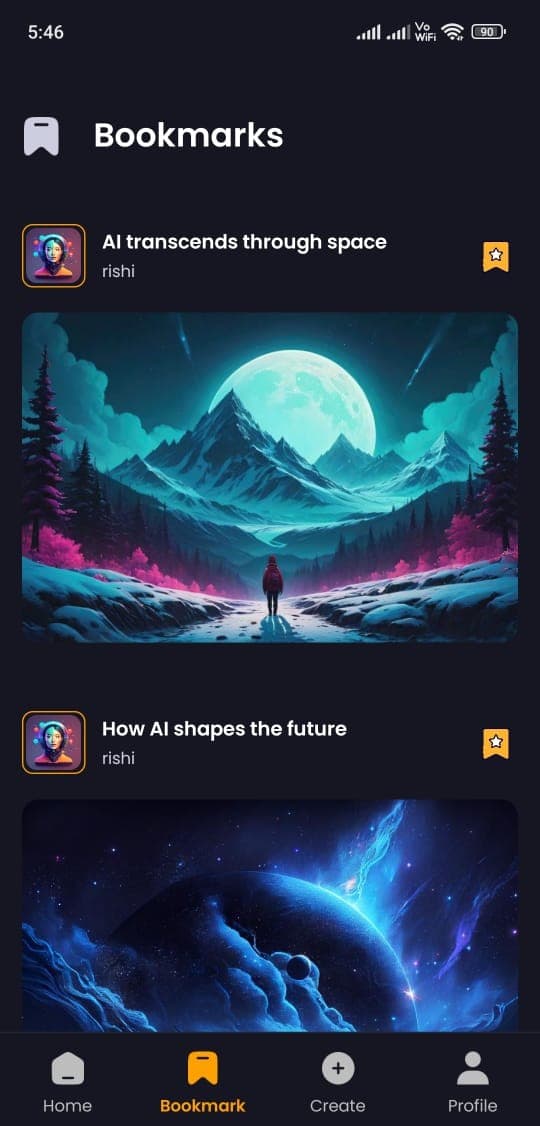
Bookmarks
- View all the images you have bookmarked for later viewing in one place.
- Easily manage your bookmarks by removing any images you no longer wish to keep.
- Keep track of your favorite images without clutter, and revisit them anytime.
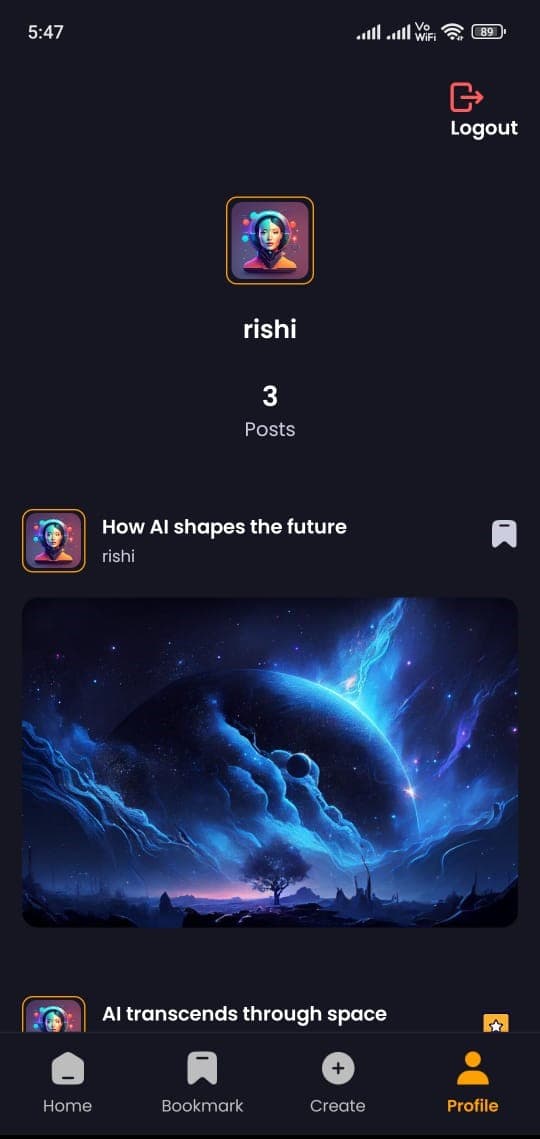
Profile
- Log out of your account securely from the profile section.
- View a detailed list of all the posts you have shared on the platform.
- See a quick summary of your total post count, giving you an overview of your contributions.
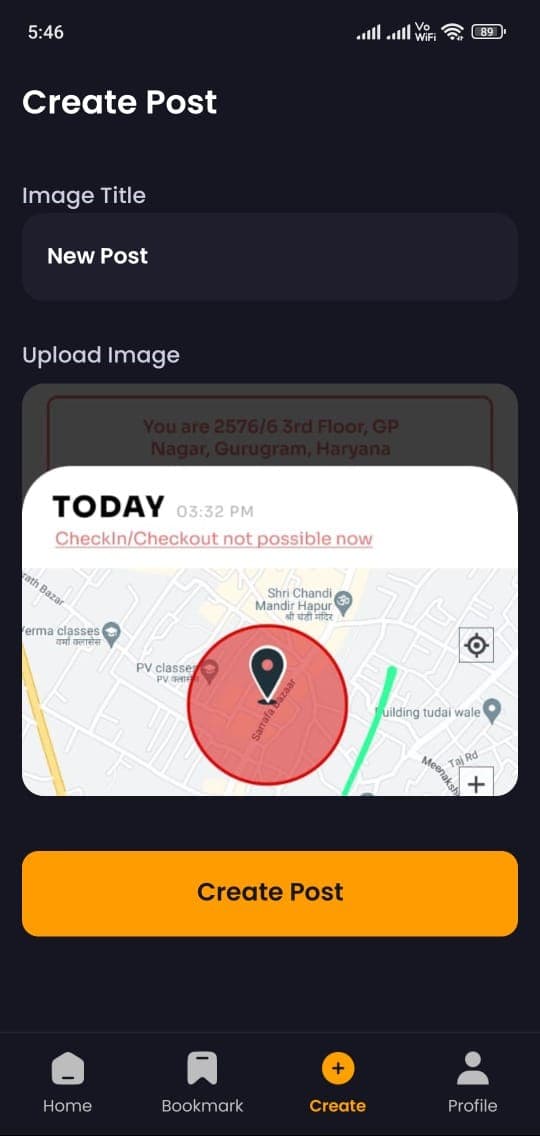
Create
- Create a new post by providing a title and uploading an image to share with others.
- Select an image file directly from your mobile device’s gallery to upload.
- Once uploaded, your post will be available for others to view and engage with on the platform.